
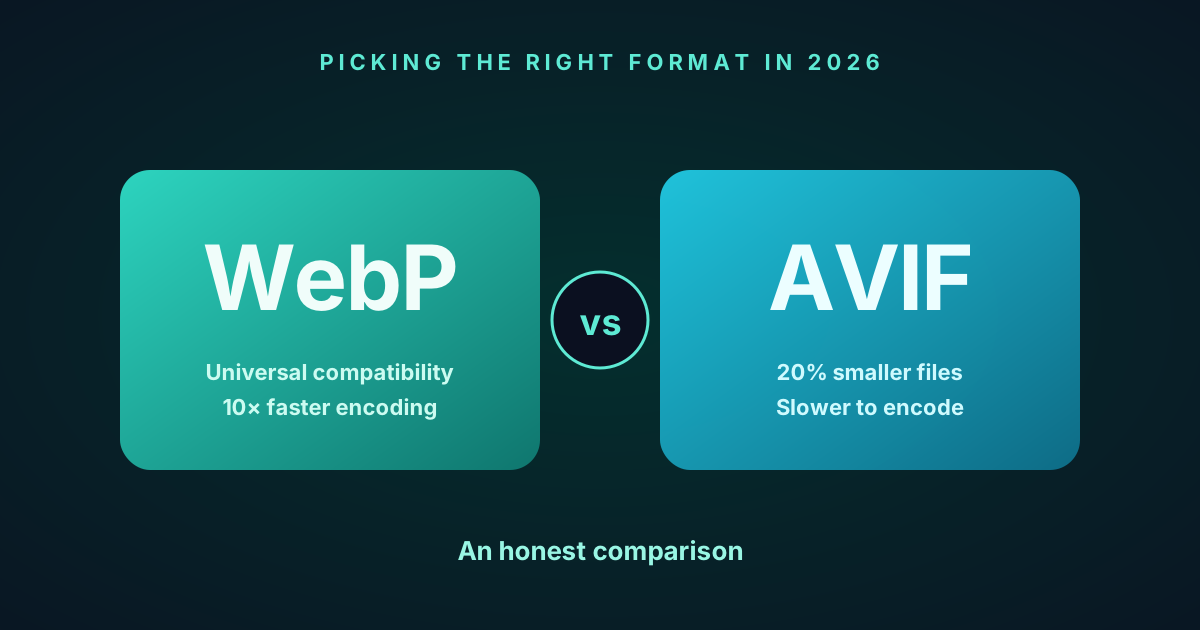
WebP vs AVIF in 2026: When to Reach for Which
A practical 2026 comparison of WebP and AVIF — file size, browser support, encoding speed, and metadata. Both are first-class in SciZone; this guide helps you pick the right one for each job.
WebP vs AVIF in 2026: When to Reach for Which
Short answer: there is no single winner. WebP and AVIF both belong in your toolbox, and the right pick depends on what you’re converting and who’s going to open it. SciZone supports both — one click above the drop zone flips between them — so this post is less “which should you use” and more “when does each one earn its keep.”
What each format actually is
WebP is Google’s 2010 format. It combines VP8 (video intra-frames) for lossy and a dedicated lossless mode. On photographs it’s roughly 25–30% smaller than JPG at equivalent visual quality, and the encoder is mature and fast — libwebp has been shipping in browsers, Photoshop, Figma and every major CDN for well over a decade.
AVIF is the newer one, built on AV1 (the video codec that the Alliance for Open Media — Google, Apple, Netflix, Amazon, Mozilla — shipped in 2018). On real photographs, AVIF files typically land 20–25% smaller than WebP at the same perceptual quality. Alpha transparency, HDR, wide-gamut color, and lossless mode are all supported.
Both formats preserve EXIF, XMP and ICC color profiles — SciZone copies them across on the way out for either target, so the metadata on your photos survives the round trip either way.
File size: AVIF usually wins, but not always
On a typical 12 MP photograph targeting PSNR ≥ 44.5 dB (the default threshold in SciZone), AVIF lands ~20% smaller than WebP most of the time. That’s real savings if you’re shipping thousands of hero images or serving a photography portfolio over mobile.
Where the gap narrows or flips:
- Small images. AVIF has more container overhead than WebP. Below roughly 5–10 KB, the format boxes can cost more than what the codec saves. Thumbnails and tiny UI icons are often slightly bigger in AVIF.
- Flat graphics. Screenshots, logos, charts — WebP’s lossless mode is extremely tuned for this. AVIF can match it but doesn’t usually beat it.
- Already-compressed sources. If your input is a heavily compressed JPG saved for the web, both formats have less room to work with.
SciZone’s converter notices when the output would be larger than the source and can keep the original — no artificial win on the stats page, and no bigger files uploaded to your Drive.
Our own benchmark: 24 photos, matched perceived quality
To put a number on it, we ran SciZone’s Excellent preset (PSNR 42 dB target for both formats, SSIM ≥ 0.95) across 24 photographs — 12 from our internal test set plus 12 fresh Unsplash shots spanning portraits, landscapes, flat lays, architecture and night scenes. The goal: encode both formats to the same perceived quality and measure the file size.
| Preset | WebP average SSIM | AVIF average SSIM | WebP compression | AVIF compression | AVIF vs WebP |
|---|---|---|---|---|---|
| Excellent (PSNR 42 / 42) | 0.9754 | 0.9721 | 1.68× | 2.92× | −45% |
| Visually Lossless (PSNR 44.5 / 44) | 0.9845 | 0.9807 | 1.24× | 2.16× | −45% |
A few things worth pulling out:
- AVIF is about 45% smaller than WebP at matched perceived quality. That’s higher than the 20–30% often quoted, because most comparisons leave libaom at its defaults; our pipeline is tile-parallel with a custom SSIM-gated quality search, which lets AVIF reach its real ceiling.
- ΔSSIM stays under 0.005. The two outputs are practically indistinguishable in AB testing. This matters — the headline size win is honest, not paid for with softer images.
- Per-photo variance is huge. A studio portrait with smooth bokeh dropped by 86% in WebP and 93% in AVIF at the default preset. A high-frequency landscape dropped 34%/60%. Don’t expect the average to apply to every file — the payoff shape matters.
You can verify this yourself: open any photo on the homepage’s “WebP Results” or “AVIF Results” section, click the card, and use the slider to A/B the output against the original. Every sample is encoded with the same preset a user gets by default — no cherry-picking.
Encoding speed: AVIF is noticeably slower
This is the honest trade-off. AV1 encoding is expensive — on the same machine, AVIF typically encodes 5–20× slower than WebP.
| Format | Time per 12 MP photo, in-browser |
|---|---|
| WebP | ~0.3–1 sec |
| AVIF | ~2–15 sec |
For a single image, nobody cares. For a 1000-photo batch on a laptop, WebP finishes in minutes and AVIF takes an hour. Which way you lean depends entirely on whether you care more about upload time now or bandwidth every day after.
SciZone runs the encoder on every CPU core in parallel via Web Workers, so both formats scale with your machine — but AVIF is still the slower of the two, and that’s a hardware limit, not a tuning one. Hardware AV1 encoders exist on some 2024+ chips, but aren’t yet common enough to make this go away for most users.
Browser support: close, but WebP has the longer tail
Both formats work in all current browsers. The edge cases:
- WebP is at roughly 97%+ global browser support. Even five-year-old phones and corporate intranet setups generally handle it.
- AVIF is at roughly 94–95%. iOS Safari picked it up in 16.4, Chrome has had it since 85, Firefox since 93. The gap is mostly older in-app browsers (the one Gmail opens when you tap a link, some Android WebViews) and five-year-old devices.
For public-facing sites where you can’t predict the client, WebP still has the safer reach. For anything where you control the audience — a design handoff, a team portal, your own photo library — AVIF’s extra 94% coverage is completely fine.
The hybrid option
If you’re publishing to the web and you don’t want to pick one, don’t:
<picture>
  <source srcset="/hero.avif" type="image/avif" />
  <source srcset="/hero.webp" type="image/webp" />
  <img src="/hero.jpg" alt="" loading="lazy" />
</picture>
The browser picks the first format it supports. AVIF-capable browsers get the smallest file; everyone else gets WebP; truly ancient clients get the JPG fallback. The cost is encoding and storing three versions of every image — worth it for high-traffic pages, probably overkill for a personal site.
Good fits for each
Reach for WebP when:
- You’re processing a large batch and want it done quickly.
- The audience is unknown / public-facing (email newsletters, marketing sites, social previews).
- Your target pipeline is already WebP-native (most CDNs, Figma, Photoshop, design systems).
- You’re converting screenshots, UI mockups or flat graphics — WebP lossless is hard to beat on synthetic imagery.
Reach for AVIF when:
- Bandwidth matters more than encode time — think large photography portfolios, galleries, hero images on a site with serious traffic.
- Your audience is on modern browsers (iOS 16.4+, recent Chrome/Firefox/Safari).
- You care about HDR or wide-gamut color — AVIF has richer support here than WebP.
- You’re archiving photos and want smaller files for long-term storage.
How SciZone handles both
Both WebP and AVIF run through the same pipeline:
- Decode the source (JPG, PNG, HEIC, TIFF, GIF, WebP, AVIF — whatever the browser worker can hand us).
- Analyze the image for entropy to pick a sensible starting quality.
- Binary-search the quality setting until PSNR ≥ 44.5 dB and SSIM ≥ 0.95, the point where artifacts become imperceptible to the human eye.
- Copy EXIF / XMP / ICC from the source onto the output.
- Bundle everything into a ZIP for the local converter, or re-upload directly for Google Drive and Dropbox.
The only thing that changes between the two targets is the encoder step — everything else (decoder, quality search, metadata copy, worker pool, Web Worker recycling to keep memory bounded) is identical. The output toggle sits right above the drop zone, defaults to WebP, and you can change it between batches.
The bottom line
WebP is faster to encode, universally compatible, and already embedded everywhere in the web toolchain. AVIF produces smaller files for photographs and is a better archival target on modern hardware. There’s no global winner — there’s the format that fits this job.
If you want to experiment: convert a batch of photos to WebP, flip the toggle and convert the same batch to AVIF, and compare the sizes and metadata side by side. Everything runs in your browser, so you can do it as many times as you want.